
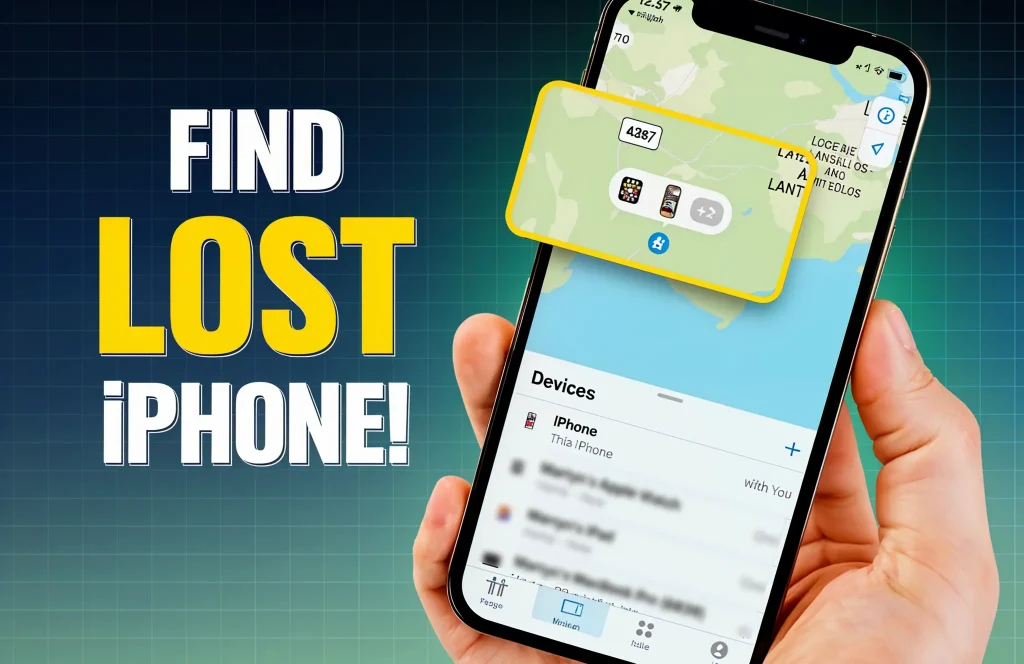
Losing your iPhone can cause a feeling of vulnerability and anxiety, associated with the wave of stress and confusion. The immediate panic that sets in when your device goes missing can be all-consuming. However, acting swiftly and using the powerful tools provided by Apple can help in taking control of the situation.
Features like the Find My tool, marking the iPhone as a ‘lost’ item, and turning on “Stolen Device Protection for iPhone” are designed to help you locate your device, lock it to prevent unauthorized access, and even display a message for anyone who might find it.
This step-by-step guide on how to recover and secure your lost iPhone aims to equip you with expert-level strategies to recover your iPhone and protect your personal data. With the right approach, prompt action, and knowledge at your fingertips, you too can navigate this challenging experience effectively.
Step 1: Take Charge With “Find My”
Apple’s Find My is your best friend on an event like losing your iPhone, or any other Apple device. By tracking the location of a lost device using Find My, you can easily recover your iPhone. This also allows you to ping your iPhone if it’s in a range of 50 metres from the device you are tracking from, such as an Apple Watch. To use it, Find My must be enabled, and the device should be connected to Wi-Fi or cellular with active Location Services.
Three Ways to Access Find My
- From Another Apple Device: If you’ve installed Find My on your lost iPhone, you can track it using another Apple device such as an iPad. Simply open the Find My app, sign in with your Apple ID, select the lost device, and you’ll see its location on the map. It’s that simple!
- With iCloud On A Browser: You can also find your lost iPhone via iCloud on any browser. To do that, just visit iCloud from a browser and sign in with your Apple ID. Next, click on ‘Find Devices’ to effortlessly locate your lost phone.
- With a Family Member’s Device: Your family members’ devices can also help you locate the lost iPhone with Find My. This approach lets you have family support when you need them the most. Leverage this advantage by using ‘Family Sharing’. This allows your family member to track and secure your iPhone.
Play A Sound For Immediate Retrieval
Playing a sound if the lost iPhone is in a 50 metres range is an effective way to immediately retrieve it. To do that, you can use an Apple Watch, iPad, your Mac computer, or any device that has the Find My app or a web browser for iCloud access.
Ping with Apple Watch: Here’s how to ping a lost item on Apple Watch –
- Tap the side button > Open Control Center > Click the “Ping iPhone” icon.
- The Ping iPhone icon resembles a sound wave.
- Tapping the icon emits a loud sound to locate it easily.
- If you’re in the dark, tap and hold, your iPhone will flash as well.
Accessing from iCloud: If your missing iPhone is away from the range, here’s how to access iCloud from a browser and track it –
- Sign into iCloud/find with Apple ID > click “Find iPhone” > Select missing iPhone.
- No Verification Code is required on iCloud, so you can track it easily.
- If you are asked for a Verification Code, select the “Find Devices” button.
- On iCloud, you can also mark your iPhone as “lost”.
Read more – Shortcut to Check iPhone’s Real Battery Health
Step 2: Lock, Protect, and Inform by Activating Lost Mode
When you mark your iPhone as “Lost”, it locks away the device with a passcode to prevent unauthorized access. It can also display a custom message with a contact number for anyone who finds it. Additionally, sensitive services like payment cards or any passes you use with Apple Pay are revoked, so your financial data remains secure.
Activating Lost Mode
- Enter Find My from app or iCloud/find > Input Apple ID & Password.
- Select “Devices” > tap “Lost iPhone” > Choose “Activate” under Lost Mode.
- Follow prompts and enable Lost Mode to Lock iPhone.
How to Customize Lock Screen Message
After activating Lost Mode, you’ll be prompted to enter a “Custom Message” for the lock screen. Type in your contact information for anybody who might find your iPhone. Ensure that the message is clear and concise. Tap “Done” when you’re satisfied, and the message will be displayed on your lock screen. At this point, your payment cards including Apple Pay and associated passes will become suspended.
Step 3: Remotely Erase Your iPhone Data and Protect Privacy
If you’re sure your iPhone has been stolen, now is the time to erase all sensitive data to protect your privacy. It’s crucial to act quickly so that your personal data remains risk free and prevent unauthorized access.
Instructions to Remotely Erase Lost iPhone Data
Once you erase the data, your iPhone will be wiped clean. This process irreversible so be cautious before you perform this step. It is to ensure you have full control over your personal information, and no thief can ever access them. The steps are as follows –
Via Find My App
- Open Find My > Sign in with Apple ID if prompted.
- Tap “Devices” to locate iPhone > Tap “Erase This Device” and confirm.
- This erases the device data remotely.
Via iCloud on A Browser
- Sign in with Apple ID on iCloud/find.
- Click “Find iPhone” > “All Devices”.
- Click on your iPhone > “Erase iPhone”.
- Confirm, and your iPhone will be restored to factory settings remotely.
Step 4: Reporting Theft and Further Actions
If your phone is stolen, acting quickly is vital. Reporting of the theft to the police and asking your wireless carrier are key steps to protect your data and preventing unauthorized use. In Bangladesh, understanding risks and taking informed action will help in safeguarding your personal information.
- Report to Local Authorities: It’s important that you report the theft of your iPhone to the police as early as possible. Bangladesh police suggest filing a GD (General Diary) so that an official record is kept which helps the law enforcement during the investigation process. When you file a report, be prepared to provide essential information, such as your device’s IMEI number, your NID Number along with the SIM card number, and any other identifying details.
- Contact Your Mobile Operator: Almost everyone relies on their SIM number for accessing essential services, including government programs, non-government facilities, and financial platforms like mobile banking or MFS linked to bank accounts. If your SIM is lost or stolen, act immediately. After reporting the theft, contact your mobile operator through their hotline, visit a customer care branch, or use their app to block the number. This step protects you from unauthorized access to sensitive information, passwords, OTPs, and other personal data. Stay vigilant and secure.
- Understanding Risks & Recommendation From Bangladesh Police: Turning off Lost Mode will help the police tracking your iPhone with the IMEI number. However, even if your phone is sold to the black market and a new SIM is inserted, the police can track it with IMEI. Therefore, it is advisable that you erase all data and then turn off Lost Mode so that the police can eventually track it.
How Apple Gadgets Care Can Assist You
If you’re stressed about a lost or stolen iPhone, find it overwhelming navigating the settings of Find My or iCloud, or unable to understand which step will be most accurate for you, don’t worry – Apple Gadgets Care has your back. Our team of highly skilled technicians specializes in resolving such issues with precision and care. From activating Find My iPhone to guiding you with SIM blocking and device security, we provide tailored solutions to protect your data and recover your iPhone.
With over 12 to 20 years of experience, our certified Apple technicians are expert in mitigating any Apple Device emergency with fast, reliable, and effective support. We are dedicated to helping you recover your iPhone or secure your information against unauthorized access. At AG Care, we prioritize your security and satisfaction. Trust us to handle these critical situations with unmatched professionalism and efficiency. Don’t hesitate—reach out to us today for expert assistance!
Conclusion: Stay Prepared and Secure
Losing an iPhone can be stressful, but following key steps—like using “Find My iPhone,” locking your device, and blocking your SIM—can help you recover it or secure your data. Regular backups are vital to protect your information in case of loss. Remember, Apple’s tools are designed to safeguard your device and provide peace of mind. By staying proactive and prepared, you can handle such situations effectively. Use these features to stay secure and in control of your digital life.

Ifrad Mahbub is a tech enthusiast with more than two years of experience in writing about cutting-edge smart gadgets, cameras, and computers. He is passionate about exploring new technologies and engaging with like-minded professionals on the future of digital trends.